TouchScreen
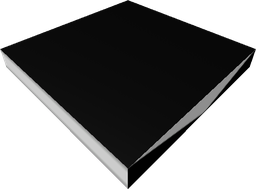
A Screen, but can handle player mouse input.
This is to be used with programming.
It is a craftable and spawnable non-flammable solid.
It consumes 5 power per tick.
Here is a list of possible sizes that reach the maximum malleability (400) that have integer components: 1x1x400, 1x2x200, 1x4x100, 1x5x80, 1x8x50, 1x10x40, 1x16x25, 1x20x20, 2x2x100, 2x4x50, 2x5x40, 2x8x25, 2x10x20, 4x4x25, 4x5x20, 4x10x10, 5x5x16, 5x8x10
At its default size (8x1x8) it has a durability of 1, at its maximum size it has a durability of 2.
By default, its colour is #111111.
It requires 2 Polysilicon, 1 Screen, and 1 TouchSensor to be crafted.
-- Get the touch screen.
local screen = assert(Network:GetPart("TouchScreen"), "expected touch screen to be connected")

-- Initialise our lists of draggable frames and the currently dragged frames.
local frames = {}
local dragging = {}

-- Create 100 random draggable frames.
local canvasSize = screen:GetDimensions()
for index = 1, 100 do
	-- Random colour, size and position (position will avoid going off-screen).
	local colour = Color3.new(math.random(), math.random(), math.random())
	local sizeX, sizeY = math.random(20, 100), math.random(20, 100)
	local positionX, positionY = math.random(0, canvasSize.X - sizeX), math.random(0, canvasSize.Y - sizeY)

	-- Create the frame.
	local frame = Instance.new("Frame")
	frame.BorderSizePixel = 0
	frame.BackgroundColor3 = colour
	frame.Size = UDim2.fromOffset(sizeX, sizeY)
	frame.Position = UDim2.fromOffset(positionX, positionY)
	frame.ZIndex = index
	frame.Parent = screen:GetCanvas()

	-- Register it as draggable.
	frames[frame] = true
end

-- This is not optimised, you can replace it with a more optimised version.
-- You can do lots of things, like maintaining the highest frames at the front
-- of your frames list, or grouping frames based on their positions & sizes
-- as to reduce the amount of frames to check for any given position.
local function findFrameAtPosition(position: Vector2): (Frame?, number)
	local candidate = nil
	local maxZIndex = 0

	-- For each of the frames.
	for frame in frames do
		-- If this is a new biggest ZIndex, register it. Otherwise, if it
		-- is lower than the current selection candidate, ignore it.
		if frame.ZIndex > maxZIndex then
			maxZIndex = frame.ZIndex
		elseif candidate and frame.ZIndex <= candidate.ZIndex then
			continue
		end

		-- Compute the position relative to the frame, so (0, 0) is top
		-- left and (1, 1) is bottom right.
		local relativePosition = (position - frame.AbsolutePosition) / frame.AbsoluteSize

		-- If it's within the bounds, we're hovered over it, this is our
		-- new candidate.
		if
			relativePosition.X >= 0
			and relativePosition.Y >= 0
			and relativePosition.X <= 1
			and relativePosition.Y <= 1
		then
			candidate = frame
		end
	end

	return candidate, maxZIndex
end

screen.CursorPressed:Connect(function(cursor)
	-- Find the frame the user is hovered over.
	local cursorPosition = Vector2.new(cursor.X, cursor.Y)
	local selectedFrame, maxZIndex = findFrameAtPosition(cursorPosition)

	if not selectedFrame then
		return
	end

	-- Move the selected frame to the top.
	selectedFrame.ZIndex = maxZIndex + 1

	-- Get the cursor's position relative to the top left corner of the frame.
	local positionalOffset = selectedFrame.AbsolutePosition - cursorPosition

	-- Register the fact this cursor is dragging this frame.
	dragging[cursor.Player] = { frame = selectedFrame, offset = positionalOffset }
end)

screen.CursorMoved:Connect(function(cursor)
	-- If they're not dragging anything, cancel.
	local selected = dragging[cursor.Player]
	if not selected then
		return
	end

	-- If they've deselected it, say as much then cancel.
	if not cursor.Pressed then
		dragging[cursor.Player] = nil
		return
	end

	-- Extract the frame, the frame's parent, and the cursor offset.
	local selectedFrame, offset = selected.frame, selected.offset
	local parent = selectedFrame.Parent

	-- If there's a parent, we have to account for the possibility of the parent
	-- not being in the top left corner. We just add the cursor offset to the
	-- current cursor position.
	local targetPosition = if parent
		then UDim2.fromOffset(
			cursor.X + offset.X - parent.AbsolutePosition.X,
			cursor.Y + offset.Y - parent.AbsolutePosition.Y
		)
		else UDim2.fromOffset(cursor.X + offset.X, cursor.Y + offset.Y)

	-- Just update the position.
	selectedFrame.Position = targetPosition
end)
Methods
GetCursor(username) → cursor
Gets the specified player's cursor.
The username parameter is the username of the player's cursor you want to get. It is a string.
The cursor return is a Cursor.
GetCursors() → cursors
Gets a dictionary of player usernames to their cursors if their cursors are on the screen.
The cursors return is a dictionary of player usernames to their cursors. It is a dictionary with keys that are s and values that are Cursors.
Events
Configured(configurerId)
Fires when the object is configured.
The configurerId parameter is the UserId of the player who configured the object. It is a number.
CursorMoved(Cursor)
Fires when a cursor is moved.
The Cursor parameter is a Cursor.
CursorPressed(Cursor)
Fires when a user presses their left mouse button.
The Cursor parameter is a Cursor.
CursorReleased(Cursor)
Fires when a user releases their left mouse button.
The Cursor parameter is a Cursor.