Telescope
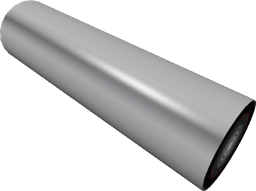
A device that allows you to see and query information about other regions and planets in space while powered.
Click on the Telescope to open up a menu that will display information about any location.
To view a specific coordinate, configure the Telescope and set to the desired coordinates.
There is no cooldown, and there is no range limit.
The Telescope provides the following information:
-
Resources on the planet
-
The planet's temperature
-
The planet's distance from its star
-
The type of planet It is a craftable and spawnable non-flammable solid.
It cannot be resized.
At its default size (7x2x2) it has a durability of 25.
By default, its colour is #a3a2a5.
-- Get a reference to the telescope.
local telescope = assert(Network:GetPart("Telescope"), "expected telescope to be connected")

-- Keep track of 'threads' that are waiting for data.
local yieldingThreads = {}

-- Whenever region info is loaded, we need to pass it to the yielding threads.
telescope:WhenRegionLoads(function(regionInfo)
	-- Convert the region info coordinate to a string.
	local coordinateString = regionInfo.Coordinate:CoordStringWithoutPlanet()

	-- Look for the threads that want this coordinate info, do nothing if there aren't any.
	local yielding = yieldingThreads[coordinateString]
	if yielding then
		-- Resume all the threads that are waiting, providing the region info.
		for _, thread in yielding do
			coroutine.resume(thread, regionInfo)
		end
		-- Remove the threads from the waiting list.
		yieldingThreads[coordinateString] = nil
	end
end)

local function retrieveRegionInfo(coordinate: string): CompleteRegionInfo
	-- If another thread is already waiting, we need to add this thread to the
	-- existing list, otherwise create a new list with just this thread in it.
	if yieldingThreads[coordinate] then
		table.insert(yieldingThreads[coordinate], coroutine.running())
	else
		yieldingThreads[coordinate] = { coroutine.running() }
	end

	-- Set the view coordinates to the orbit of the planet.
	telescope.ViewCoordinates = `{coordinate}, false`

	-- Wait for a response
	return coroutine.yield()
end

-- Normally you would want this at the top of your script, but this is the "example use" area.
local repr = require("repr")

-- Retrieve information, this will automatically wait.
local data = retrieveRegionInfo("0, 0, 0, 0")
print(repr(data))
Methods
GetCoordinate() → regionInfo
Gets information about the configured region.
The regionInfo return is a RegionInfo.
GetCurrentCoordinate() → currentCoordinate
Returns the current region coordinates. If you are within a region with a RegionCloaker active, only the owner of the RegionCloaker can call this method.
The currentCoordinate return is a Coordinates.
WhenRegionLoads(callback)
Registers a callback that will be called when information is first loaded about a region.
The callback parameter is a callback that will be called when the region loads. The callback will receive a CompleteRegionInfo object containing information about the region. It is a function of type (regionInfo: CompleteRegionInfo) -> ().
Configurables
ViewCoordinates
The coordinates to view. When read, it is a Coordinates. When written to, it is a Coordinates | string.
Events
Configured(configurerId)
Fires when the object is configured.
The configurerId parameter is the UserId of the player who configured the object. It is a number.